
1000X built-in functionality allows users to become a Leader or choose to follow Leader's trades.
How to use the Social Trade System to follow a leader
*** Once you signed in, make sure your account have a balance to get the same orders from the leader,
*** Learn how to make a deposit on the 1000X platform. Click : How to Deposit to Trade.

1) On the Menu bar, left-side. Select "Leader" icon.
2) The website will change to the Social Trade System Section.
Select "Leader" Icon again.
The website will show a list of currently active leaders and the information regarding the leader's portfolio, such as
Balance : Display Balance amount including all closed order.
Equity : Display number of Balance + Credit.
Commission : Like a service fee that Leader request, Depends on the leader's adjustment.
Day : Amount of date that Leader start trading to presently.
Follow : Display amount of followers.
Total Follower Balance : Display the total amount balance of followers.
Total Profit : Display leader’s Profit and Loss.

1000X let you filter all available leaders by sorting in categories, such as
Top Gain : Display the most profitable users
Top Loss : Display the most losing users
Top Follow : Display users with the most followers. All in descending order.
Beginner : Display users who have just started as Leaders.
User can also use the search bar at the right corner and type their names.
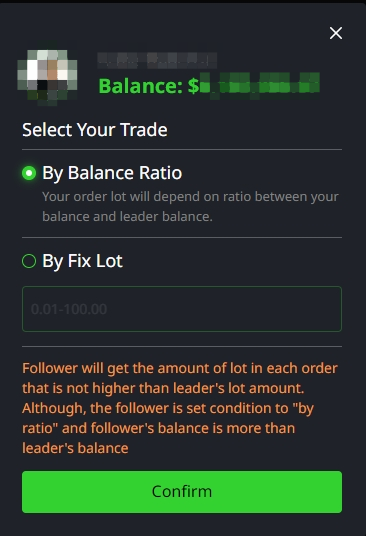
3) Once user decided to follow a certain leader, select the follow trade option you prefer.
- By Balance Ratio : The system will calculate the appropriate Lot Size and open orders according to the Leader.
- By Fix Lot : User can set the Lot Size that user want then the system will open orders according to user setting.
(Minimum Lot Size is 0.01 Lot)
Remark : Follower will get the amount of lot in each order that is not higher than leader's lot amount. Although, the follower is set condition to "by ratio" and follower's balance is more than leader's balance.
User can check status after followed leader at My Followed menu.
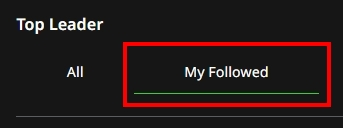
My Followed : Display the Leader account that the user is following at the time.
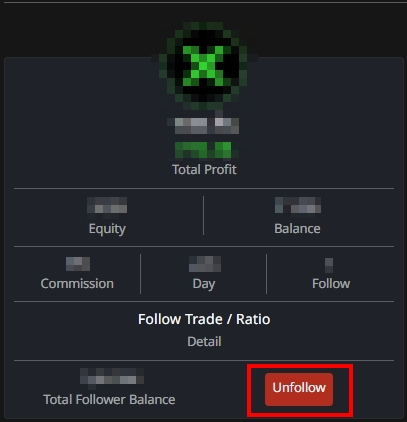
Follow Trade : Display following status is By balance ratio or By fix lot.
Unfollow : Click to stop Following.
Disclaimer : Any form of Investment are subject to risk, keep in mind to evaluate, manage your assets and risk at your own discretion.