add-circle-bold add-circle add-square add alarm-bell-1 alert-diamond analytics-pie-2 archive archive arrow-down-1 arrow-down-2 arrow-left-1 arrow-right-1 arrow-up-1 attachment-1 bin-paper-1 book-star button-record check-1 check-circle-1 close close-quote close cog-1 cog common-file-stack copy-paste credit-card-1 diagram-fall-down disable time-clock-midnight download-thick-bottom drawer-send envelope-letter envelope-letter expand-6 expand-6 file-code filter-1 floppy-disk flying-insect-honey folder-file-1 headphones-customer-support hierarchy-9 hyperlink-2 information-circle keyboard-arrow-down keyboard-arrow-up layout-module-1 list-bullets lock-2 lock-unlock-1 love-it messages-bubble-square move-to-top multiple-circle multiple-neutral-1 multiple-users-1 navigation-menu-horizontal navigation-menu network-browser open-quote pencil-1 pencil-write pencil-1 print-text rating-star rating-star remove-circle remove-square-1 search send-email-1 shield-warning single-neutral-actions single-neutral smiley-sad-1 smiley-unhappy smiley-indifferent smiley-smile-1_1 smiley-happy smiley-sad-1 smiley-unhappy smiley-indifferent smiley-happy smiley-thrilled social-media-twitter synchronize-arrows-1 tags-double ticket-1 ticket-1 time-clock-circle undo view-1 view-off view wench

Future

Tools


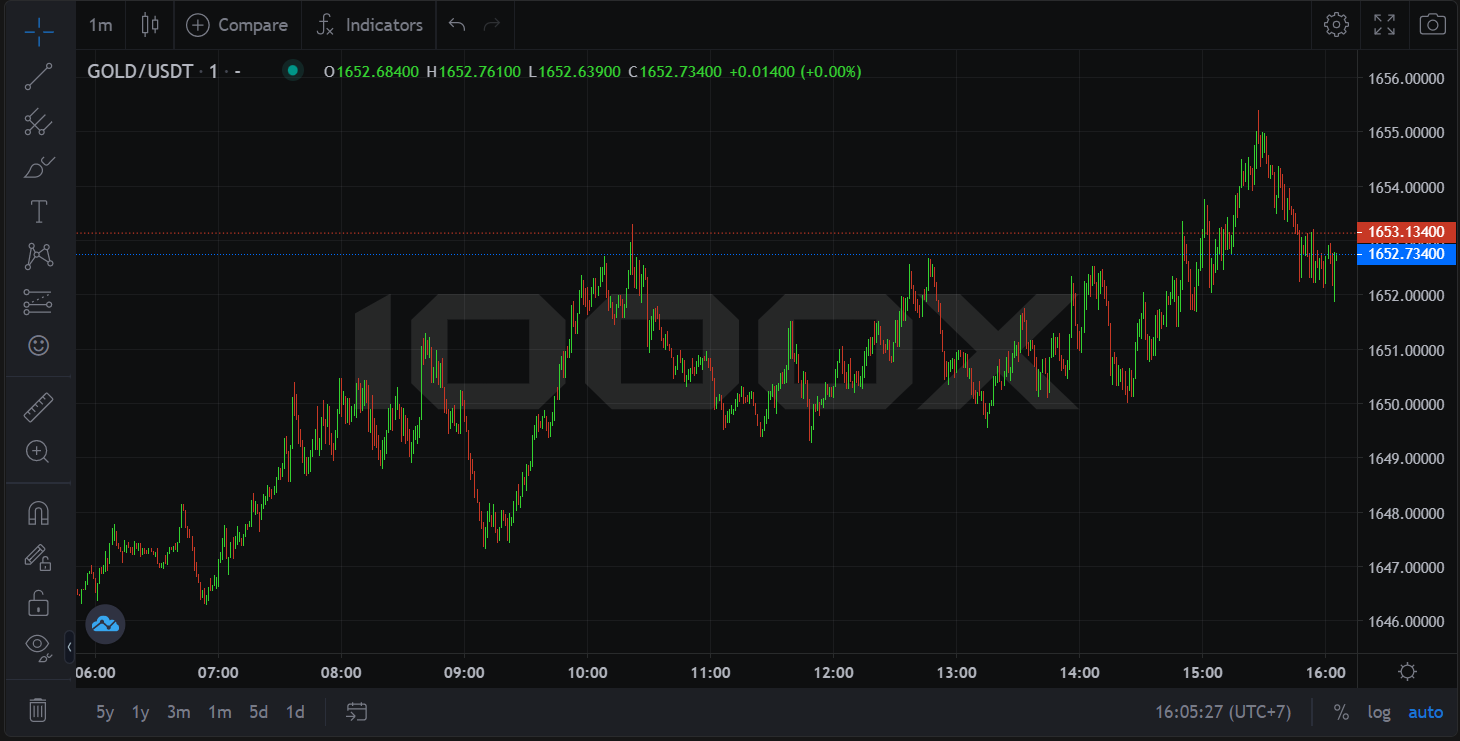
Drawings Toolbar

  1. Cross > Cursors : User can change cursor display on the graph.
  2. Trend Line  Shift  - drawing a straight line at angles of 45 > Trend Line Tools : Tools for drawing a straight line. Assisting in terms of technical analytics.
  3. Pitchfork > Gann and Fibonacci Tools : a well-known Indicator that used Fibonacci formula to analyze and find a proper priceline to place an order.
  4. Brush > Geometric Shapes : Brush tool to make Geometric shapes.
  5. Text > Annotation Tools : Tools for inserting text and annotations in textbox.
  6. XABCD Pattern > Patterns : Drawing tool allows analysts to highlight various five point chart patterns.
  7. Long Position > Prediction and Measurement Tools : For predicting and measure the outcome.
  8. Icons : Icons used as Illustration in the graph.
  9. Measure " Shift  + Click on chart" : Measuring the size of the area highlighted by cursor.
  10. Zoom In : Zooming in for better focus.
  11. Magnet Mode snaps drawing placed near price bars to the closest OHLC Value    Ctrl     :  Drawing lines or pattern on the nearest position of Open, High, Low, Close price.
  12. Stay in Drawing Mode : Insist on using the drawing mode.
  13. Lock All Drawing Tools : Locked all tools to be ready to use.
  14. Hide all Drawings " Ctrl  Alt  H " : Hide all the drawing.
  15. Remove Drawings : Tool for removing drawings.
  16. Hide Drawings Toolbar : Hide the drawing tools.
  17. Show Object Tree : For managing all tools and object on the graph.