
Trading & Types of Order
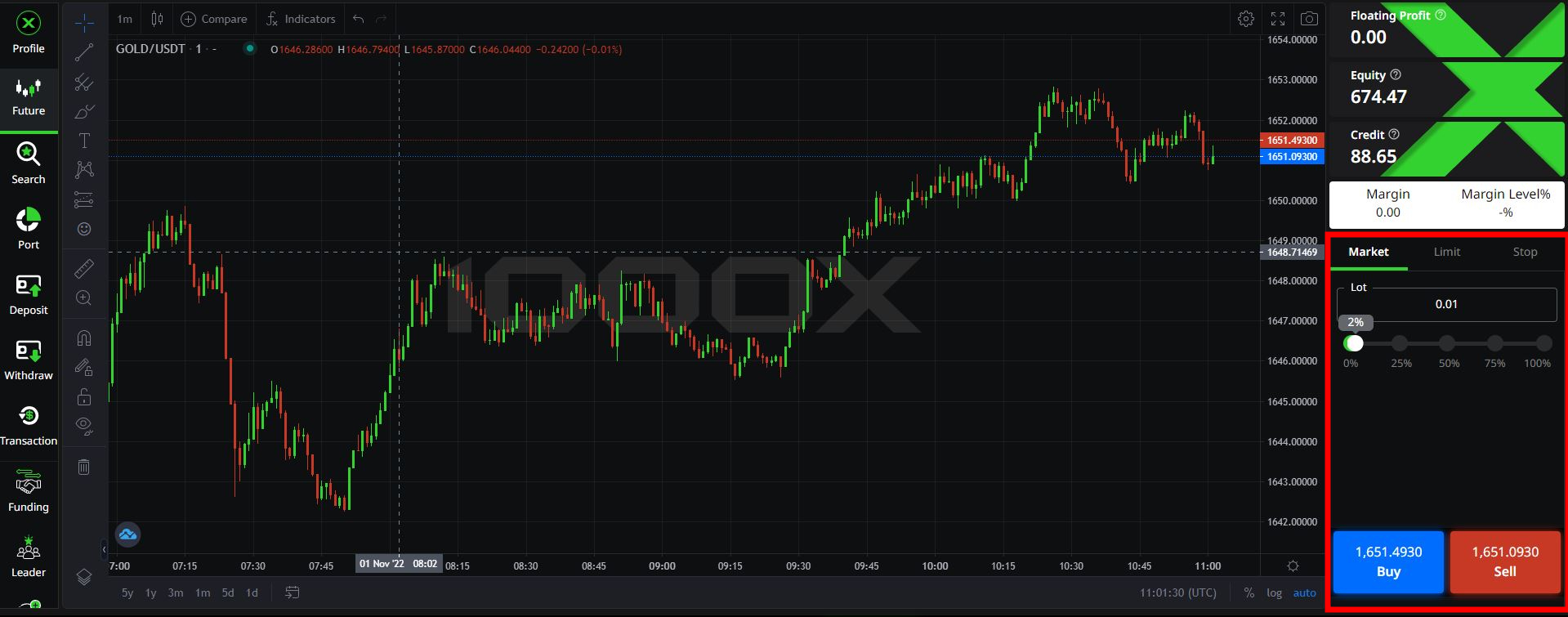
- User Interface Opening Order
- Ask & Bid Line
- Close & Edit (Order & Pending)
- Important Reminders Regarding The Future Trading on 1000X
User Interface Opening Order
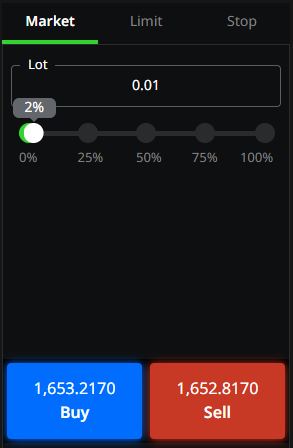
Market Order
- Order will be placed according to the present market price
- User can adjust the size order by using slide bar or typing numbers (2 decimals)
- Numbers percentage below the slide bar Indicates how much margin will be used to open order.
Lot
- User can adjust the size order by using slide bar or typing numbers (2 decimals)
- Numbers percentage below the slide bar indicates how much margin will be used to open order.
* Minimum size for opening order is 0.01 Lot
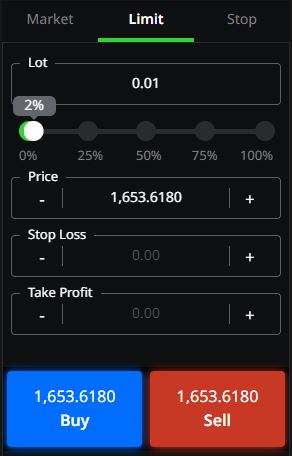
Limit
- User can set a certain price and place the pending order by prediction as the price would reverse the trend, pending order will be placed when the price reach the setting price.
- By placing the limit Buy order, the price need to be lower than the current priceline.
- By placing the limit Sell order, the price need to be higher than the current priceline.
- User can adjust the size order by using slide bar or typing numbers (2 decimals)
- Numbers percentage below the slide bar indicates how much margin will be used to open order.
* Minimum size for opening order is 0.01 Lot
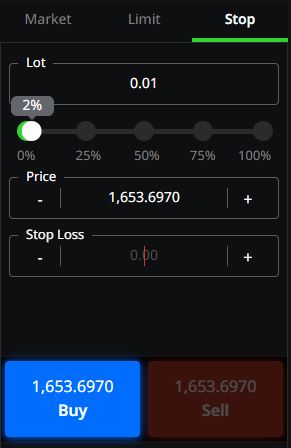
Stop
- User can set a certain price and place the pending order by prediction as the price would follow the trend, pending order will be placed when the price reach the setting price.
- By placing the stop Buy order, the price need to be higher than the current priceline.
- By placing the stop Sell order, the price need to be lower than the current priceline.
- User can adjust the size order by using slide bar or typing numbers (2 decimals)
- Numbers percentage below the slide bar indicates how much margin will be used to open order.
* Minimum size for opening order is 0.01 Lot
Ask & Bid Line
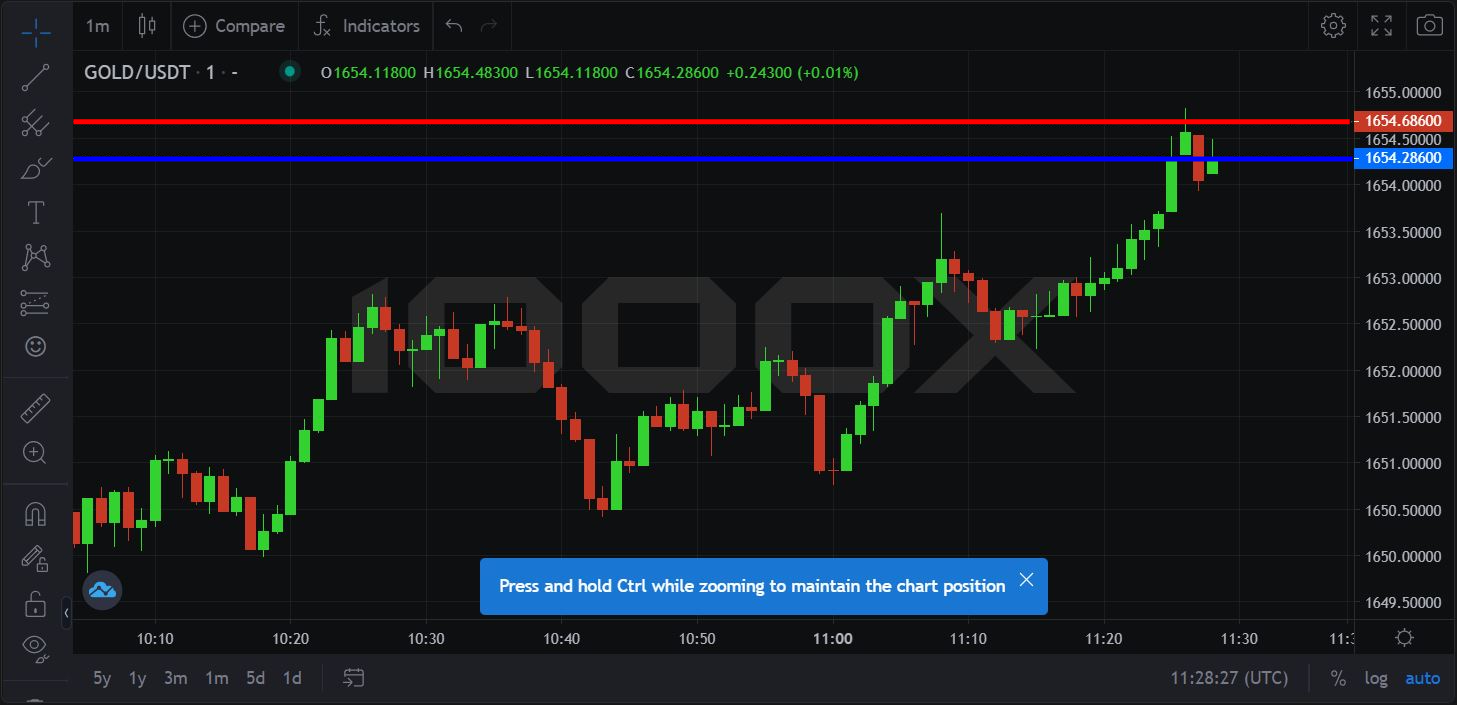
Ask Line
Sell / Sell Limit / Sell Stop : Any type of Sell order will be opened at the Lower Line or Bid Line.
Closed at the Upper Line or Ask Line.
Bid Line
Buy / Buy Limit / Buy Stop : Any type of Buy order will be opened at the Upper Line or Ask Line.
Closed at the Lower Line Bid Line.
Spread
The spread in future is a small cost built into the buy (bid) and sell (ask) price of every currency pair trade. When you look at the price that’s quoted for a currency pair, you will see there is a difference between the buy and sell prices – this is the spread or the ask/bid spread.
Close & Edit (Order & Pending)
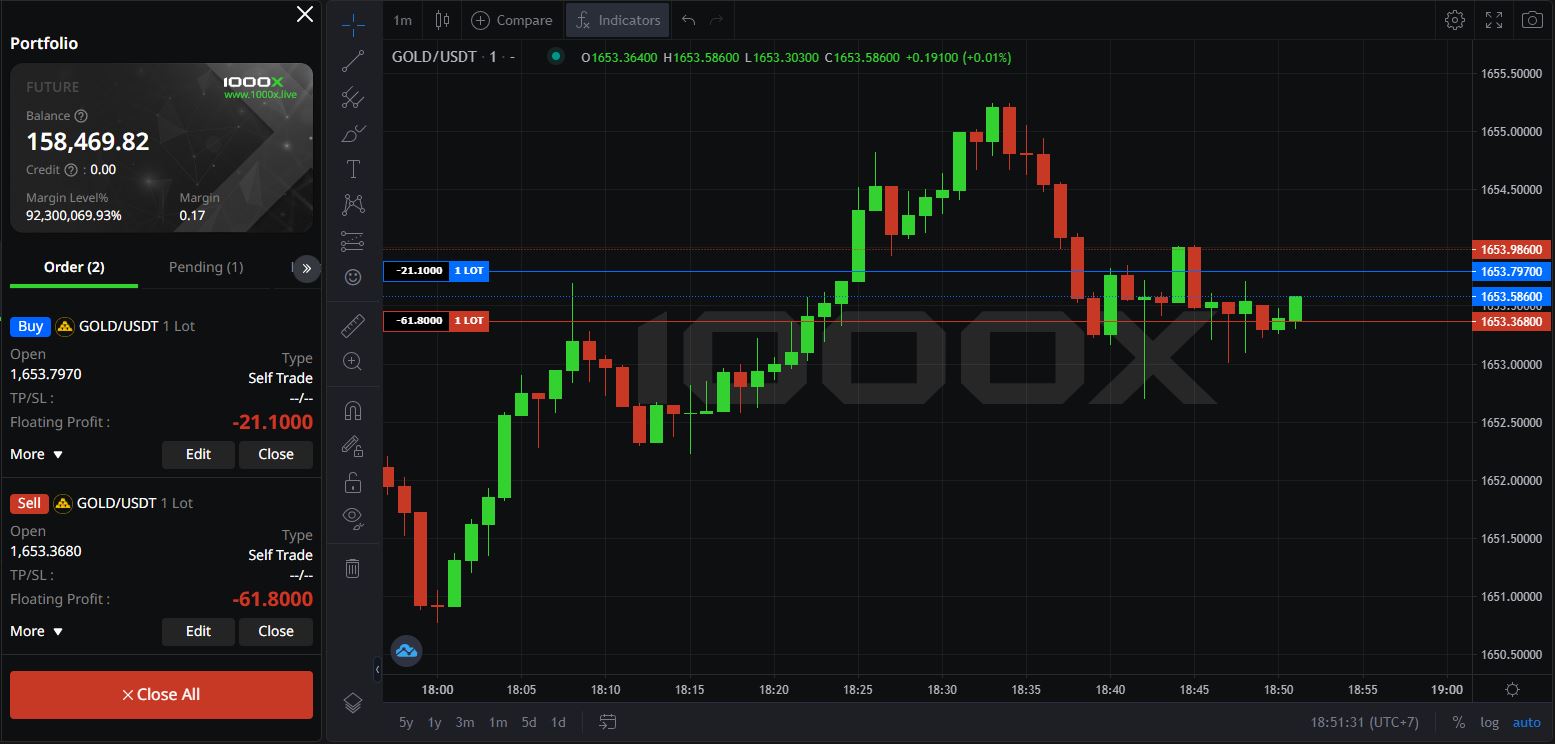
Order (Close & Edit)
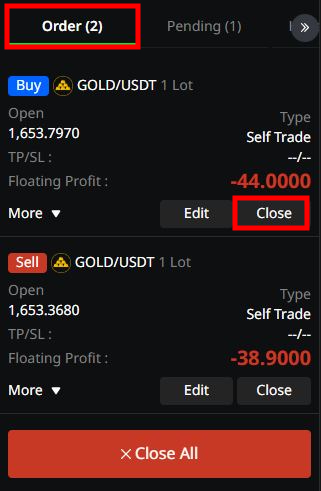
Close : Closing the order with profit / loss from the order.
Click the “Close” button to close the opening order.
Close All : Click the “Close all” button to close all the opening order(s).
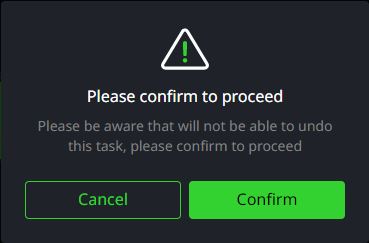
Clicking "Close All" will bring the pop-up message for confirmation to proceed.
Cancel : to cancel the closing of all orders
Confirm : to confirm the closing of all orders
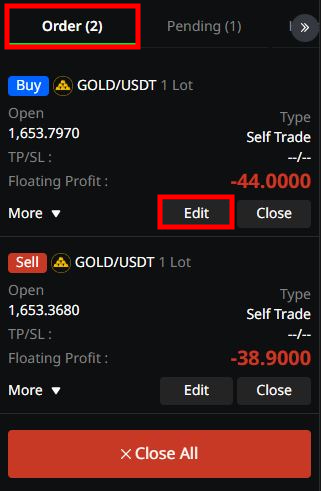
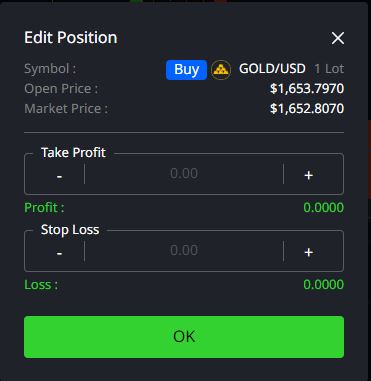
Edit : Setting a Take Profit (TP), Stop Loss (SL) price in the order.
- , + : Increasing or decreasing the values of TP or SL price, user can manually type the number as well.
Profit/Loss : Showing the profit or loss regarding the setting price from TP or SL
** Plus or minus profit will be depend on the setting price.**
OK Once editing is completed, click “OK” to confirm the changes made on the order.
Setting price for TP and SL must be at least 100 points away from the current price.
Pending (Close & Edit)
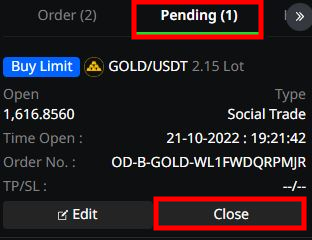
Pending : Pending orders, pre-set to be opened once the setting price is triggered.
Types of order including Buy Stop / Sell Stop and Buy Limit / Sell Limit with trading pair / size order.
Close : To cancel the pending order, click “Close” to close the order immediately
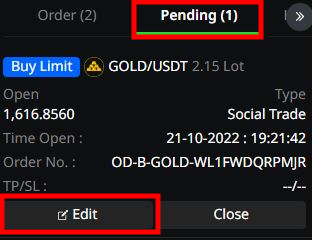
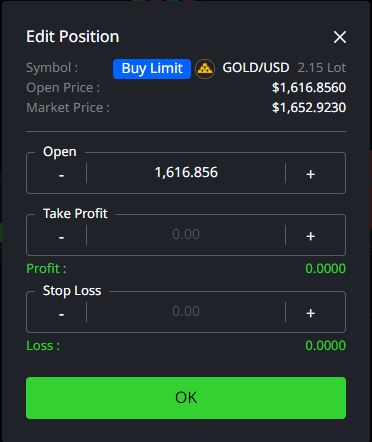
Edit : Edit a price to close the order in advance. to take profit or stop loss.
Open : Entry price of the pending order.
- , + : Increasing or decreasing the values of TP or SL price, user can manually type the number as well.
Profit/Loss : Showing the profit or loss regarding the setting price from TP or SL
*** Plus or minus profit will be depend on the setting price.**
OK Once editing is completed, click “OK” to confirm the changes made on the order.
Setting price for TP and SL must be at least 100 points away from the current price.
Important Reminders Regarding The Future Trading on 1000X
- Minimum amount for Deposit and Withdraw are $10.
- 0% Fee on trading, deposit and withdrawal.
- If the Margin Level % goes lower than 80%, any order which consume highest margin will be closed to maintain the margin level above 80%, with some of the balance will be remained.
- Deposit with Cryptocurrencies such as BNB, BUSD or ACT will be calculated and add to your account from the price at the moment of deposition.
- 30% Credit only applied to deposit order with BUSD or ACT.
- User will receive the withdrawn amount as ACT.
- 1000x Platform will operate on both Decentralized and Centralized trait, such as Deposit and withdraw can be verified on the BSCScan. But for the trading part, such as opening order or trading history, can only view on the platform system.
- Setting price for TP and SL must be at least 100 points away from the current price.